Sell at the counter. Sell online. Keep one count.
RTC Stores gives your shop a fast till for walk-in customers and its own website for everyone else. Same products, same stock, one daily report.
- Everything included in every plan
- Pay by mobile money
- Ready the moment you pay
The backoffice: everything behind the counter
Run the till, the stock, the staff and the books from one screen, on a laptop, tablet or phone.
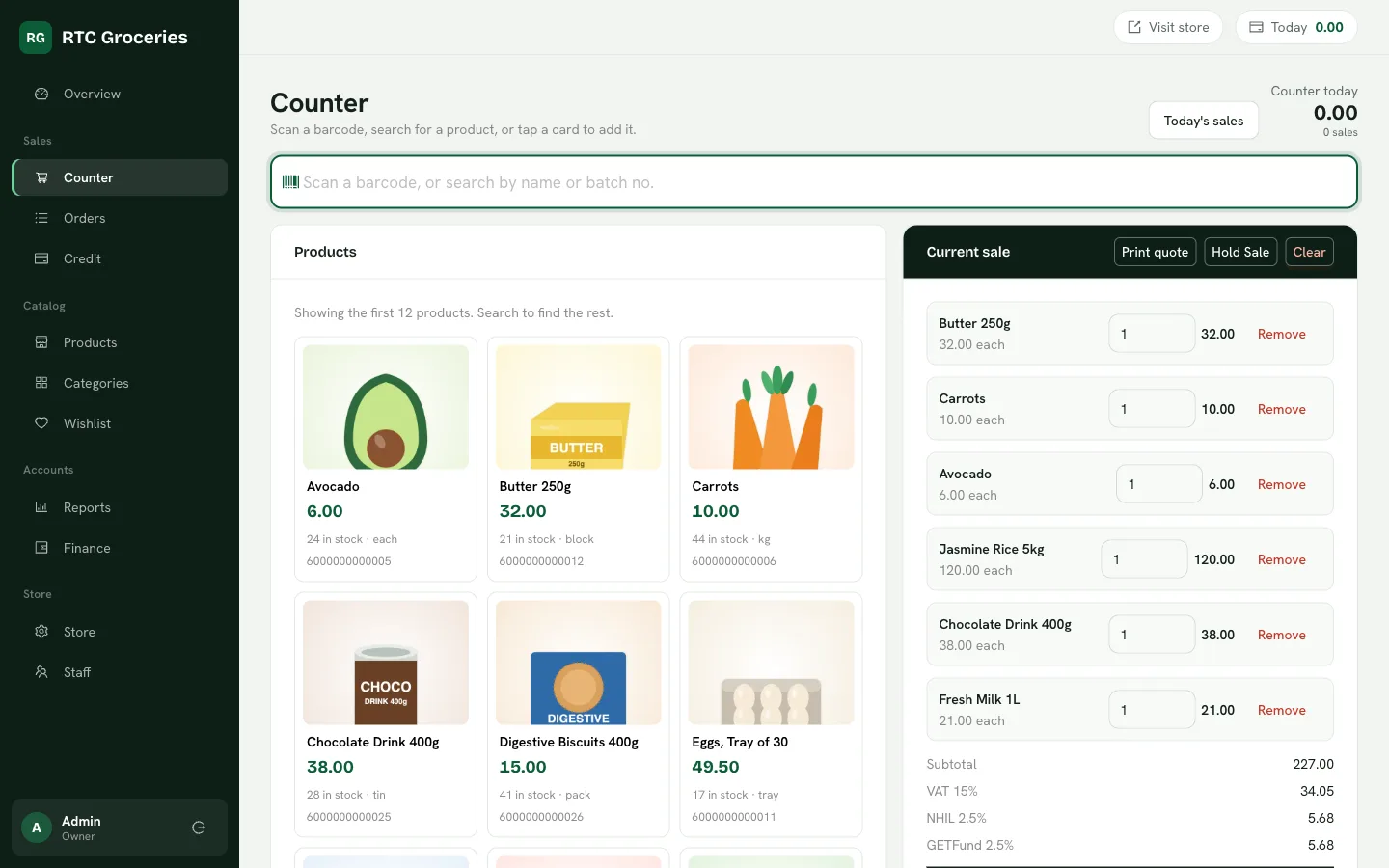
A counter that keeps up
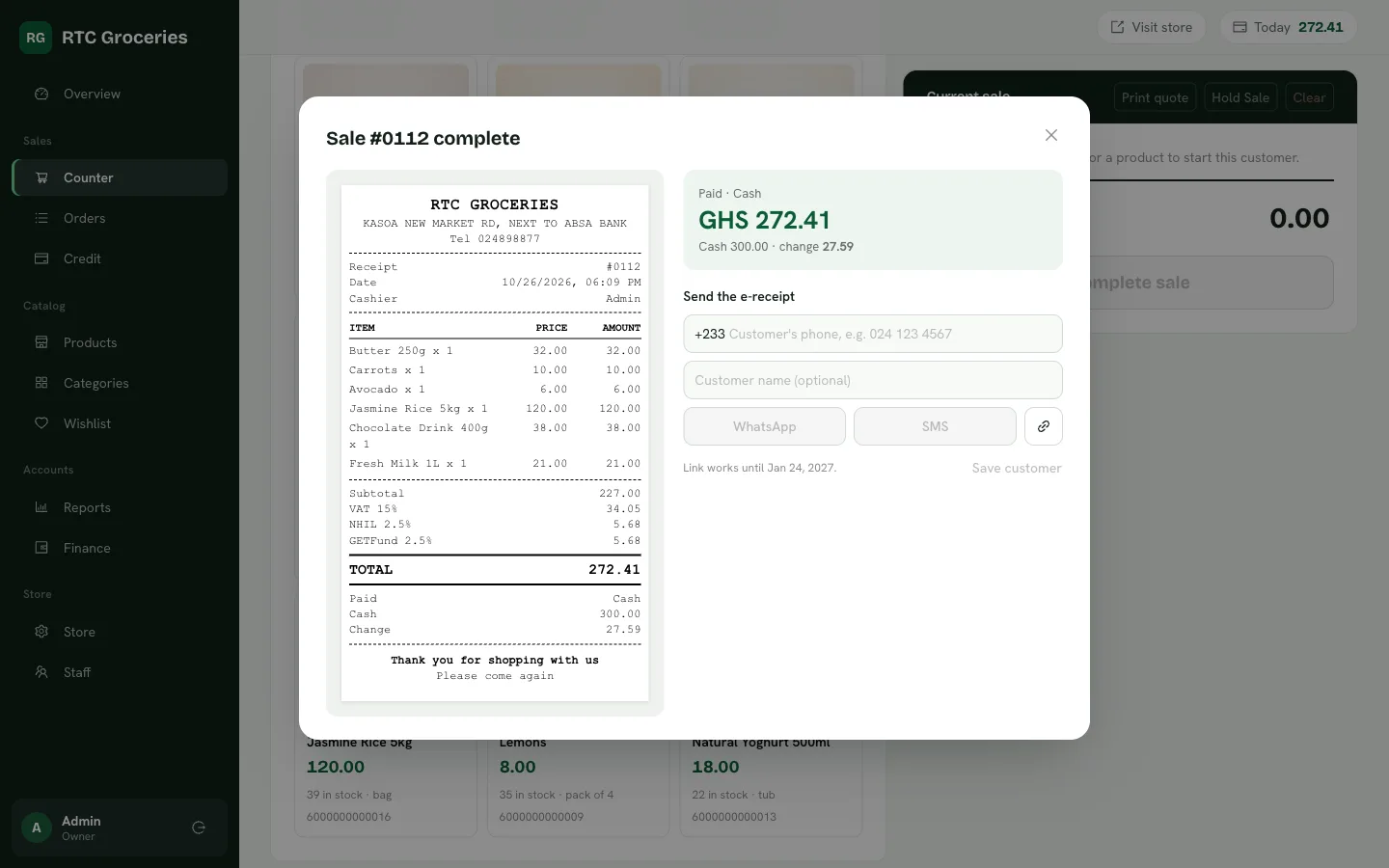
Scan a barcode or tap a product. Hold a sale while you serve the next person, then print the receipt or send it on WhatsApp.
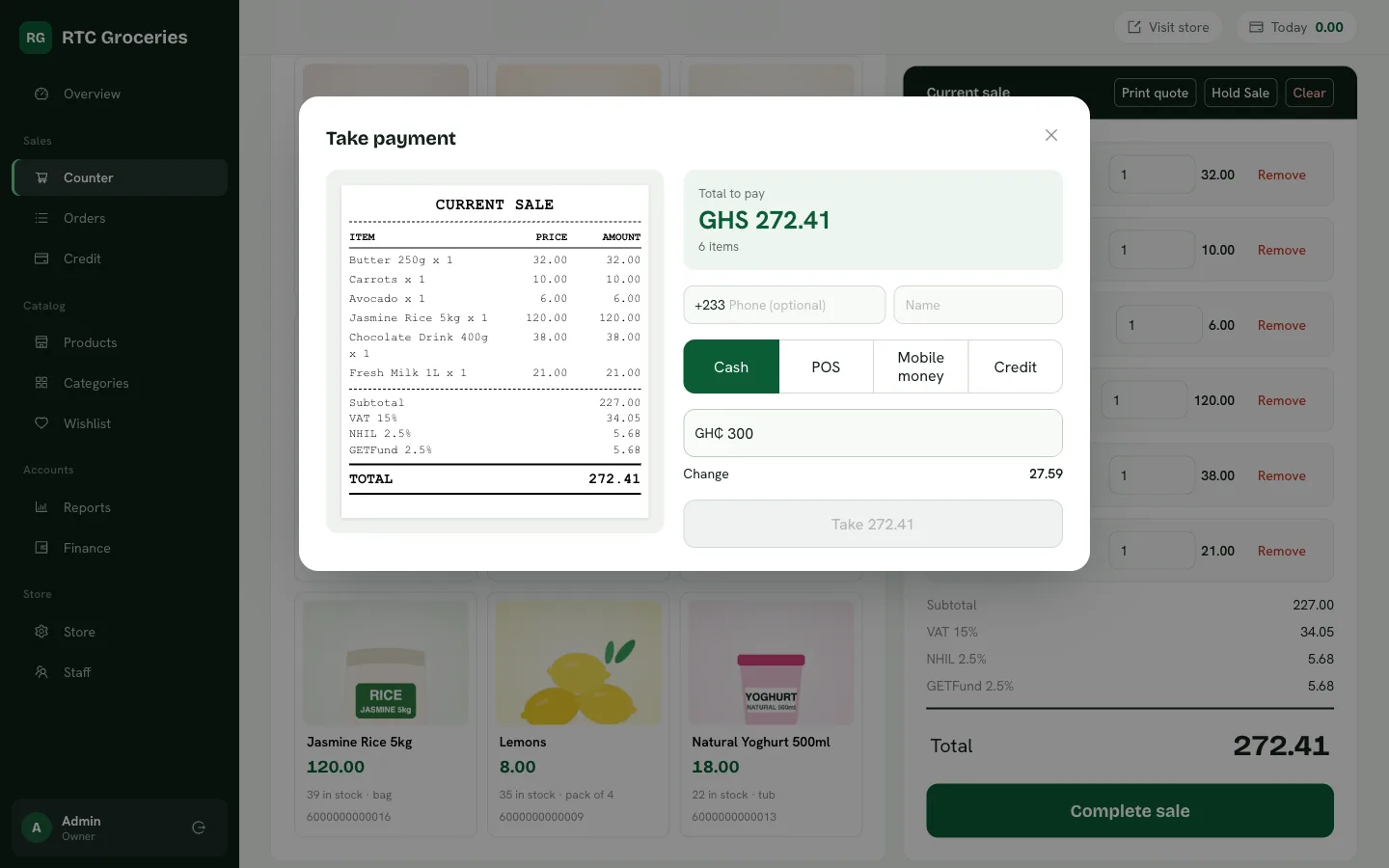
Every way your customers pay
Cash, POS, mobile money, or credit for the customers you trust. The backoffice keeps track of who owes what.
Stock you can count on
Sales at the counter and online come out of the same stock. You see what is running low and what expires soon.
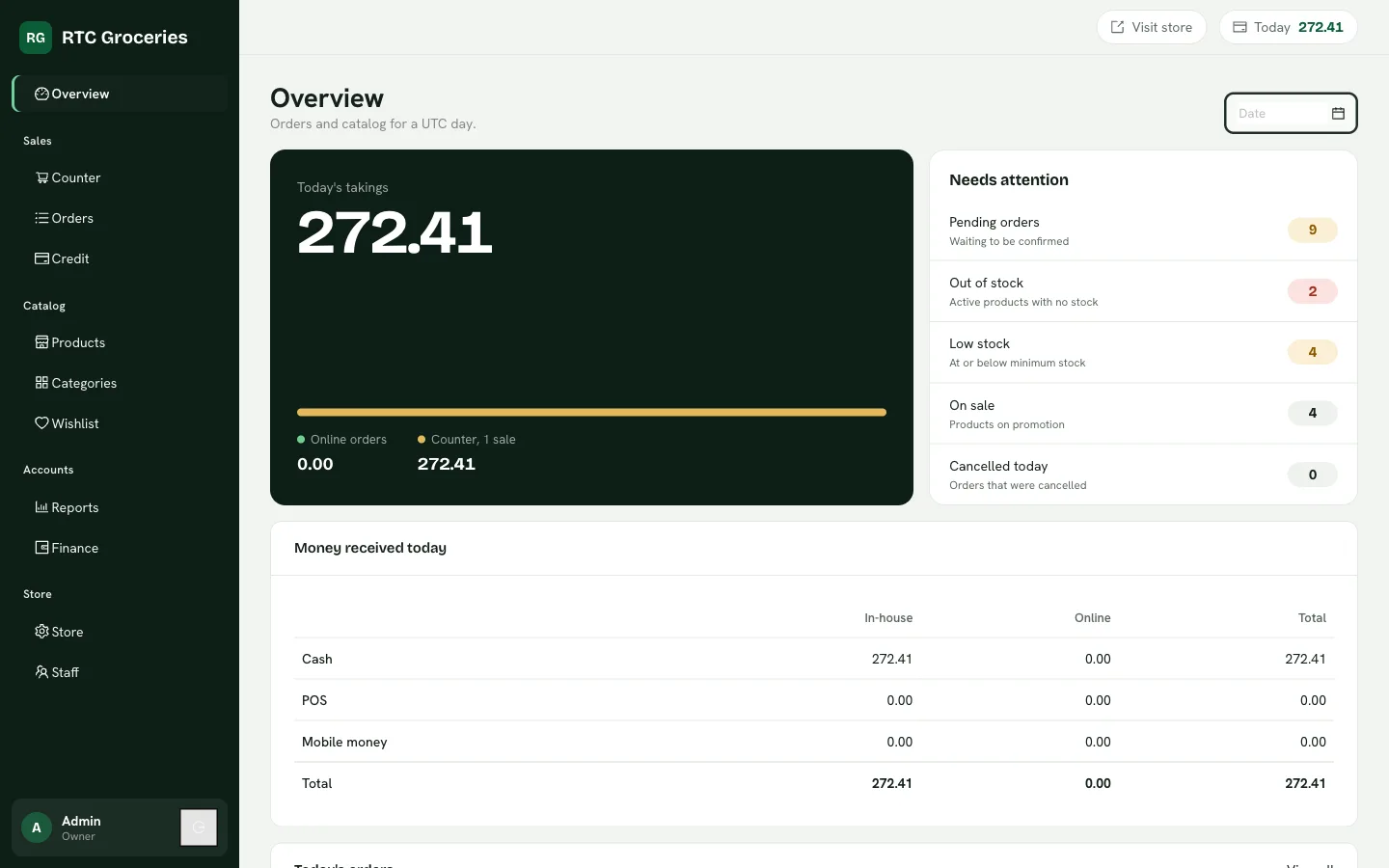
The day, added up for you
Daily sales, money received by cash and MoMo, item profit, fast and slow movers, and VAT, NHIL and GETFund for GRA.
Staff with the right keys
Give each person their own login and only the screens they need. The cashier sells; the profit report stays yours.
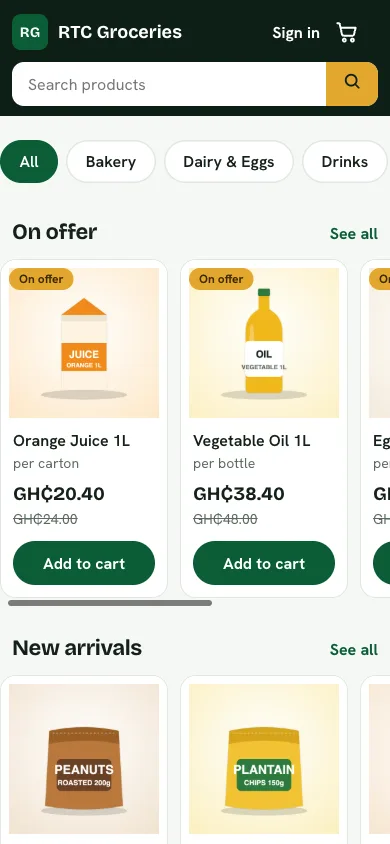
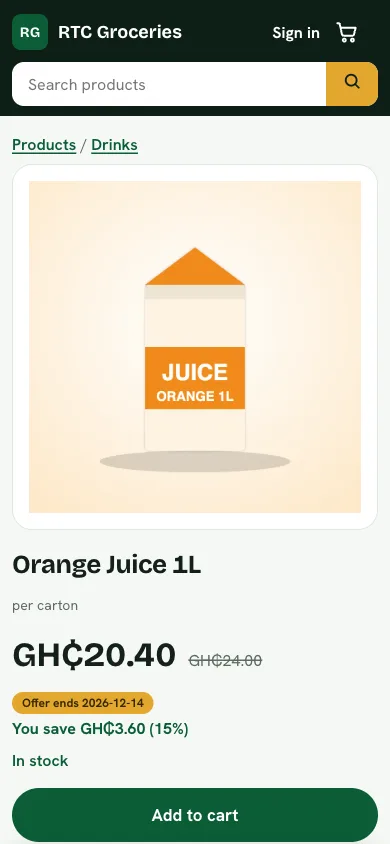
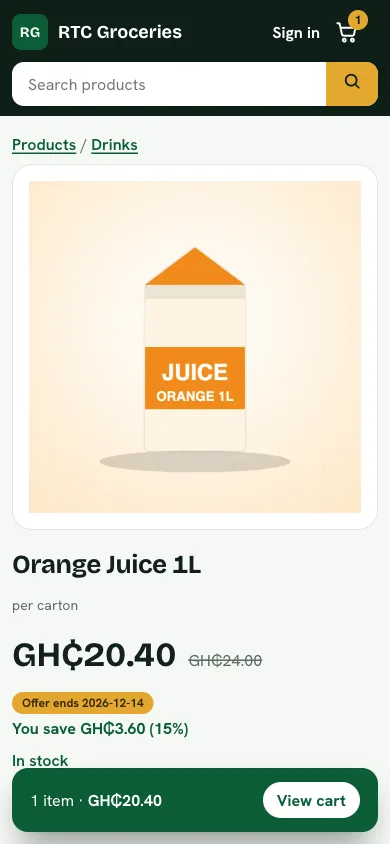
Your own online shop, open from day one
Every product you add at the counter can be sold online too. No second stock list, no extra work.
Your own address
Customers find you at stores.rtcstores.com/your-shop. Share it on WhatsApp, Instagram or a printed flyer.
Paid before you pack
Customers can approve a mobile money prompt at checkout, or pay when the order reaches them.
Delivery your way
Set your delivery areas and fees, or let people collect from your shop for free.
Orders they can follow
Every order has a page that shows where it is, and a receipt link that arrives by SMS and email.
Open your shop in four steps
No paperwork and no waiting for someone to set it up.
Choose a plan
Monthly, quarterly or yearly. Everything is included in every plan.
Tell us about your shop
Its name, the web address you want, where you are, and who runs it.
Pay with mobile money
Approve the prompt on your phone. Your receipt arrives by email straight away.
Set your password and start selling
Your shop is created the moment the payment goes through. Add your products and open the counter.
One price for everything
Pick how long you want to pay for. The longer the plan, the less you pay each month.
Every plan includes
- The counter, with barcode scanning and printed or WhatsApp receipts
- Your own online shop with mobile money checkout
- Stock, expiry and low-stock warnings
- Daily sales, profit and GRA tax reports
- Staff logins with the screens you choose
- Delivery areas and free pickup points
Questions shop owners ask
Do I need a computer?
No. The backoffice and your online shop open in the browser on a phone, tablet or laptop. A laptop or tablet is more comfortable at a busy counter, and a barcode scanner plugs straight in.
Do my customers need to install an app?
No. Your shop has its own link, like stores.rtcstores.com/amas-mini-mart. Share it on WhatsApp, Instagram or a flyer and it opens in any browser.
How do customers pay online?
They can pay with mobile money when they order, or pay cash or mobile money when the order arrives or when they collect it. You choose which options your shop offers.
Can I give my staff their own logins?
Yes. Add as many staff as you need and choose which screens each person can open, so a cashier sees the counter and not your profit report.
What happens when my plan ends?
We remind you before it ends. After it ends you have 7 more days to renew from your backoffice. If it is still unpaid after that, your shop is paused until you renew. Your products, sales and customers are kept.
Can I change plans later?
Yes. When you renew, pick whichever plan suits you, and the new time is added to the end of your current plan.
Open your shop today.
Choose a plan, pay with mobile money, and start selling at the counter and online.
See the plans